Figma’s Canvas Is Now Open to AI Agents
Figma’s Canvas Is Now Open to AI Agents
Figma is taking another step toward connecting design and AI.
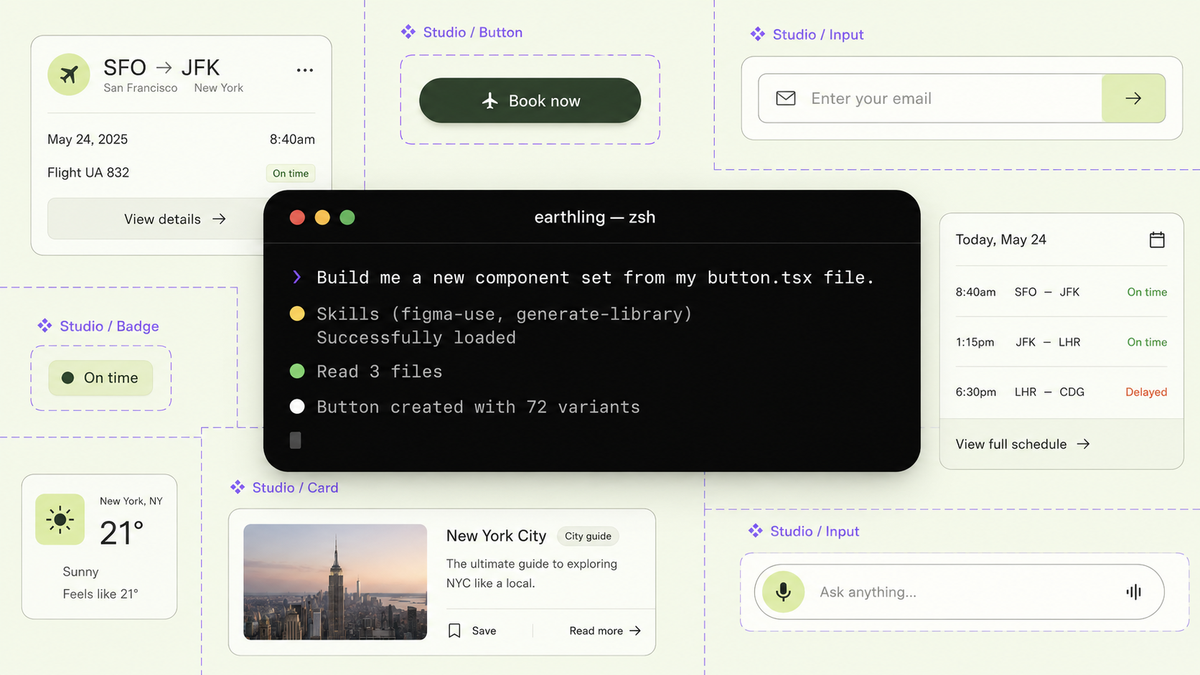
AI agents can now work directly inside the Figma canvas. They can create and edit designs, use existing components, apply variables and follow the structure of a team’s design system.
This is important because AI-generated interfaces often look generic. They may be functional, but they rarely reflect the details that make a product feel consistent: typography, spacing, components, colours and established patterns.
Figma’s new workflow aims to change that.
From reading designs to editing them
Until now, AI tools could mainly inspect Figma files, extract design information or turn existing interfaces into editable layers.
Through Figma’s MCP server, compatible AI agents can now make changes directly on the canvas.
Tools such as Claude Code, Codex and Cursor can work with real Figma components and variables instead of creating disconnected visual approximations.
This means an agent could potentially:
- Create new screen variations from existing components
- Update layouts using a team’s spacing system
- Apply the correct colours and variables
- Modify component properties
- Help keep designs and implemented interfaces aligned
The agent works within the system instead of designing around it.
Teaching AI how your team designs
One of the most interesting parts of the announcement is the introduction of Skills.
A Skill is a Markdown file that explains how an AI agent should work in Figma. It can describe which steps to follow, which components to use and how to handle specific design decisions.
Instead of repeating the same instructions in every prompt, a team can document its process once and allow the agent to follow it consistently.
Skills could include instructions for:
- Using existing components before creating new ones
- Applying the correct spacing variables
- Following accessibility requirements
- Creating screen-reader annotations
- Keeping design tokens aligned with code
- Building new screens from an established component library
They are similar to design guidelines, but written so that AI agents can actively follow them.
AI that can review its own work
Agents can also capture their output, compare the result and make further adjustments.
Because the work is created with real components, variables and layout rules, the agent is not simply editing a screenshot. It can change the underlying structure while keeping the design editable.
This could create a feedback loop:
The agent creates or updates a design.
It reviews the result.
It identifies inconsistencies.
It corrects the relevant components or layout values.
The process will not always produce a perfect result, but structured instructions can make the output more predictable.
What this means for designers
This does not remove the need for designers. It changes where some of the manual work happens.
Designers may spend less time assembling repeated screen variations and more time defining the rules, reviewing outcomes and choosing the strongest direction.
The designer still provides the essential parts:
- Visual judgement
- Product understanding
- Brand expression
- Interaction decisions
- Clear component structures
- A well-organised design system
AI can apply those decisions faster, but it cannot replace the thinking behind them.
Design systems become even more important
The quality of the output will depend heavily on the quality of the design system.
A carefully organised library gives the agent clear components, variables and patterns to work with. An inconsistent system gives it inconsistent instructions.
Naming, documentation and structure are no longer only important for designers and developers. They also determine how effectively AI agents can work with the product.
In practice:
A well-structured design system can produce useful AI-assisted results. A messy one will likely produce messy designs faster.
New possibilities for design teams
This workflow could make several common tasks easier:
Creating design variants
Agents could assemble alternative layouts using existing components, allowing designers to compare directions without building every option manually.
Keeping design and code aligned
Teams could identify differences between the implemented product and the Figma file, then update the relevant design assets.
Applying design-system rules
Spacing, colour variables and component choices could be applied more consistently across large groups of screens.
Supporting accessibility work
Agents could help prepare annotations and specifications for screen readers and other accessibility requirements.
The canvas becomes a shared workspace
Figma is gradually becoming more than the place where final designs are prepared.
It is becoming a shared workspace where designers, developers and AI agents can create, review and refine product decisions together.
The canvas remains important because it gives teams a visual place to compare ideas and understand the complete experience. AI agents may help produce more options, but designers still decide which options are clear, useful and appropriate.
Final thoughts
Opening the Figma canvas to AI agents could reduce repetitive design work and make design systems more actionable.
But the real value will not come from asking AI to design everything independently. It will come from giving agents strong components, clear rules and focused tasks.
The better the design system and the clearer the design thinking, the more useful these tools will become.
AI may become part of the design process, but taste, judgement and direction still belong to the designer.